


Direct Auto Insurance
4.62.53K Reviews
App Specs
- Version
- 1.90.778
- Updated On
- License
- Free
- Downloads
- 1,000,000+
- Developer
- National General Insurance
- Categories
- Finance
- Platform
- Android, iOS
Screenshots
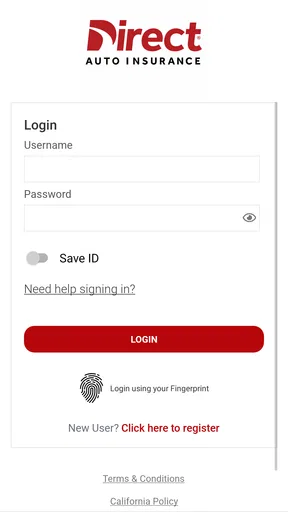
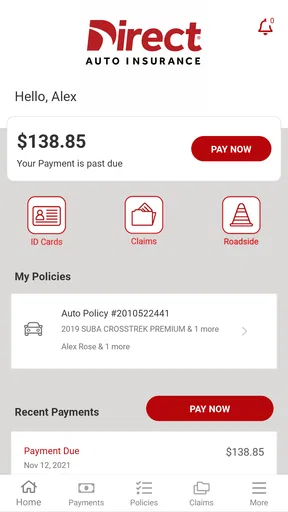
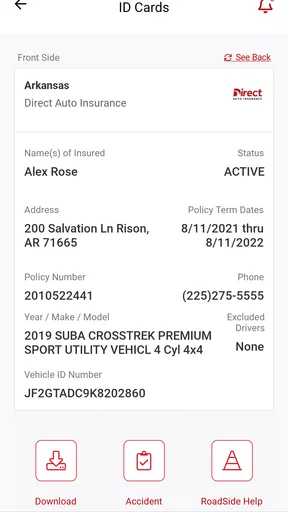
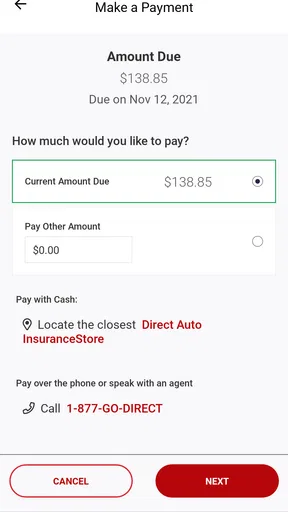
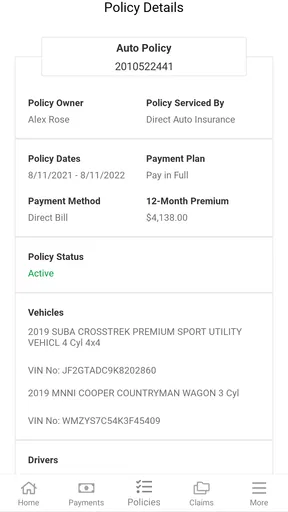
 Analysis by AppCompare
Managing car insurance is rarely difficult because of the policy itself; it is difficult because the important task often arrives at an inconvenient moment. I may need proof of coverage before driving, want to check a payment detail while away from home, or need to deal with a claim when I am already stressed. Direct Auto Insurance, developed by National General Insurance, is built around making those moments more manageable from a phone. After spending time with it, I see a practical finance app aimed at drivers who want to handle insurance without relying on a desktop browser or a call for every small task.
What makes this app worth considering is not flashy design or a broad collection of financial tools. Its value is narrower and more useful: it puts car-insurance information and common account actions in one mobile space. The app is free, rated for Everyone, and available for Android users running version 9 or later. Its 4.6 average from around 6.9 thousand ratings and more than a million installs suggest that many policyholders find the approach dependable enough for regular use.
How Direct Auto Insurance feels in everyday use
I find the app most useful when I treat it as a quick starting point for an insurance task, not as a reason to rush through one. In this section, I’ll focus on how having a dedicated mobile place for car-insurance matters can change the small decisions drivers make while away from home, and why preparing before a stressful moment makes that access more valuable.
Readability and navigation that suit quick insurance checks
My first impression is that this is an app I would open with a specific question rather than browse for entertainment. That is a good thing. Insurance apps work best when the route from the home screen to the needed account detail is easy to understand. The most useful design choice is the focus on driving-related administration instead of mixing in unrelated banking, shopping, or budgeting features.
For someone who already knows what they need, a focused layout can reduce mental effort. A driver checking coverage before lending a car, reviewing an account detail after moving, or preparing to contact the insurer benefits from seeing insurance-related choices in one place. I would still take a moment to read each label carefully, because insurance language can be easy to misunderstand even when the navigation itself feels straightforward.
The app is especially sensible for people who dislike keeping paper documents in the glove compartment. A phone-based account gives me a more convenient way to begin looking for policy information when I am away from home. That does not mean I would delete every saved document immediately. For important trips or a vehicle sale, I prefer keeping a backup record outside the app as well.
One practical habit improves the experience: I would open the app during a calm moment and identify where the information I use most often is located. That small bit of preparation matters because searching through an unfamiliar insurance account during a roadside problem is much more tiring than learning the route beforehand. It is a simple accessibility improvement created by the user’s workflow rather than a special setting.
Worth Reading Before You Choose

EA SPORTS FC Mobile 26 Is a Bigger Football Game, but It Takes Time

Flipboard Shows What News Apps Must Do Beyond the Feed

Switching to Android Auto Means Rethinking Your Driving Routine

Google Calendar Makes a Crowded Week Easier to Manage

Ludo King Makes the Most of the Minutes Between Plans

Baby Panda World Brings Quick Play to Modern Phones, but Its Game Library Feels Busy
Useful for different reading and attention needs
Insurance screens can become overwhelming when they combine policy terms, dates, payments, and contact instructions. Direct Auto Insurance benefits from having a single purpose, but I still recommend slowing down when a screen contains conditions or amounts that affect coverage. A clean-looking interface should not encourage anyone to skim legal or financial details.
For users who prefer larger text, stronger contrast, or spoken assistance, the practical question is how well the app behaves with the accessibility tools already available on the phone. I would keep the device’s text-size and display settings at a comfortable level, then check whether every important label remains visible without awkward clipping. I would also use the phone’s screen reader or magnification tools if those are part of my normal routine. The app can be useful in an accessible setup, but the final experience depends on how its screens respond to the operating system’s assistance features.
That distinction is important. I would not treat a finance app as accessible simply because it has a simple purpose. A person with low vision, dyslexia, attention difficulties, or a reading-related disability may need more time and a quieter environment to verify policy details. The app reduces some unnecessary steps, but it does not remove the need to understand the information being presented.
Motor and sensory considerations when handling an account
Using a phone for insurance can help people who find desktop websites difficult to manage. A mobile screen is always nearby, and a focused app may require fewer movements than navigating a full insurer website. For someone with limited reach or hand fatigue, I would use the device in a stable position and avoid trying to complete an important task while walking or driving. The app supports the idea of mobile access, but safe physical conditions still matter.
Large touch targets and clear spacing are valuable in this category, especially when a user has tremors, reduced dexterity, or difficulty making precise taps. I would judge the experience by whether I can select the intended action without repeated attempts and whether the app gives enough visual confirmation before a consequential step. If a screen feels crowded, rotating the phone, increasing display size, or using a stylus may help, although those are workarounds rather than proof of a specially designed accessibility system.
For users with hearing loss, a text-based insurance workflow is naturally more comfortable than depending on a phone conversation for every interaction. The app gives a driver a place to begin from the screen, which can reduce the pressure of explaining an issue verbally. Still, some situations may lead to a conversation with the insurer, so I would keep a written note of the policy question and any relevant details before contacting support.
Sensory sensitivity is another consideration. A quiet, task-focused finance app is generally less distracting than a service filled with promotional cards or entertainment content. I would still avoid using it under harsh sunlight, in a noisy parking lot, or while rushing between errands. Insurance decisions deserve a setting where I can read without glare and confirm that I have selected the correct account action.
Situational access: where the mobile approach helps most
The strongest use case is a routine moment away from a computer. Imagine borrowing a family member’s vehicle and wanting to review insurance information before leaving. Instead of waiting until I return home, I can start with the insurer’s mobile account. That convenience is meaningful for drivers who work irregular hours, travel between locations, or do not have reliable access to a desktop.
Another realistic situation is a minor incident in a car park. Stress can make even familiar websites feel difficult. A dedicated insurance app is easier to justify in that moment because it keeps the task connected to the vehicle and the policy. I would first make sure everyone is safe, follow local requirements, and gather the details I need. Only then would I use the app as part of the administrative process. A mobile tool should support good judgment, not replace it.
The app may also suit people who manage insurance for more than one household responsibility, such as a parent helping a younger driver understand account information. In that case, I would use it as a reference point rather than hand over control casually. Account security matters, and I would avoid sharing passwords or leaving the account open on another person’s device.
For users with limited transportation options, mobile access can reduce dependence on visiting an office. Someone who cannot easily travel, who works during standard business hours, or who finds in-person paperwork exhausting may appreciate being able to start insurance tasks from home. The benefit is not that every problem disappears; it is that the first step becomes less tied to a physical location.
There is also a useful trade-off for people with unreliable internet access. A phone app can be more convenient than a computer, but it still depends on the device, its connection, and the account working properly at the moment of need. I would not rely on a single digital route for an urgent trip. Keeping essential policy information available in another form is a sensible backup, particularly before traveling through areas with weak service.
What the app does not solve for every driver
The biggest limitation is the same as the app’s main strength: it concentrates on insurance administration. If I want a complete personal-finance dashboard, investment tracking, fuel budgeting, or comparisons across many insurers, this is not the right tool. A general finance app or a browser-based comparison service may be better for those broader decisions.
It is also not a substitute for understanding coverage. An app can make account access more convenient, but it cannot decide whether a particular policy fits a driver’s needs. I would still review deductibles, exclusions, vehicle details, and renewal information carefully. Anyone who prefers discussing complicated choices with a person may find a direct conversation more reassuring than completing everything through a screen.
Accessibility barriers can remain even in a focused mobile experience. A user may encounter text that is difficult to enlarge, controls that require precise tapping, or information that is visually clear but not presented in the order they expect. Someone with cognitive disabilities may need a support person or a written checklist to avoid selecting the wrong action. I would never rush a policy change simply because the app makes the screen available quickly.
There is a privacy and security trade-off as well. Keeping insurance access on a phone is convenient, but it means the phone itself becomes an important gateway to personal and vehicle information. I would use a device lock, avoid signing in on shared phones, and update the app when a newer version is offered. The current version is 1.90.778, and the minimum operating-system requirement is Android 9, so older devices may need attention before installation.
Users should also think about who controls the phone. A person with limited digital independence may need help setting up a secure routine, while a caregiver may need clear permission before assisting with someone else’s account. Convenience should not come at the cost of privacy or accidental changes.
Who will get the most from it
I would recommend Direct Auto Insurance to a policyholder who wants a straightforward mobile route to car-insurance tasks and prefers checking information independently. It makes particular sense for drivers who are comfortable with phone apps, often travel away from home, or simply want to reduce their dependence on paper folders and desktop browsing.
It is also a reasonable choice for people who value a focused interface over a large financial toolkit. The app’s free price removes a common barrier to trying it, and its Everyone rating makes it approachable for households with different ages and levels of technical experience. I would still supervise younger or less confident users when the action involves coverage, payments, or personal information.
I would be more cautious about recommending it as the only option for someone who needs extensive hands-on assistance, has an older unsupported phone, or depends on highly specialized accessibility controls. In those cases, a direct support channel or a full website may provide a better backup. Likewise, a driver comparing several companies should not confuse account convenience with a complete insurance-shopping experience.
My inclusive verdict after using the mobile approach
Direct Auto Insurance succeeds because it treats car insurance as something people need to reach while living their ordinary lives, not only while sitting at a computer. Its focused finance purpose, free availability, and mobile format make it a practical companion for policyholders who want quick access and more independence. The large user base, with over one million installs, also indicates that the concept has reached beyond a small group of early adopters.
My recommendation comes with a clear condition: use it as one part of a careful insurance routine. Prepare the app before an emergency, keep a backup of essential information, check that your phone’s accessibility settings work comfortably, and read policy details rather than tapping through them automatically. Those habits make the experience more inclusive for people with different abilities, environments, and levels of digital confidence.
The best reason to choose this app is practical independence, not feature overload. If my goal is to manage a Direct Auto Insurance account from a phone, I would consider it a useful and approachable option. If I need broad financial planning, detailed comparison shopping, or guaranteed suitability for a particular assistive setup, I would look beyond the app and keep another support route available.
National General Insurance has positioned the product as a convenient way to keep insurance connected to the driver’s daily routine. In my experience, that focus is its most convincing quality. It does not make every insurance decision simple, but it can make the first step easier to reach, easier to repeat, and less dependent on where I happen to be.
Pros
- Quick access to policy details
- ID cards
- and coverage information.
- Mobile claims tools can simplify reporting an accident from the scene.
- Payment options help users manage premiums without calling an agent.
- Policy documents are available digitally
- reducing paperwork and mailing delays.
- Useful roadside assistance access may be available for eligible policyholders.
Cons
- Some features may require an active Direct Auto policy and account login.
- App usefulness can vary by state
- policy type
- and available insurance services.
- Accident reporting may still require follow-up with a claims representative.
- Users may experience delays if location or document uploads fail.
- Insurance quotes and rates depend on personal details and are not guaranteed.
FAQs for Direct Auto Insurance
What is Direct Auto Insurance, and what can I use the app for?
Direct Auto Insurance is a mobile app for managing an existing Direct Auto policy from an Android or iOS device. After signing in, users can typically review policy details, access insurance documents, make payments, view billing information, request assistance, and find contact options. The exact features available may depend on your state, policy type, and whether you are the policyholder or an authorized driver.
Can I get an insurance quote or purchase a policy through the Direct Auto Insurance app?
The app is primarily designed for customers who already have a Direct Auto Insurance policy, so its main purpose is account and policy management rather than replacing every step of the sales process. Depending on your location and the current version of the app, you may be directed to the company website or a representative to request a quote, compare coverage, or complete a new policy purchase.
Can I make payments and manage my billing through the app?
Yes, eligible customers can generally use the Direct Auto Insurance app to review billing information and make scheduled or one-time payments. You may need to add or verify a payment method before completing a transaction. Payment options, due dates, automatic-payment settings, and available billing features can vary by policy and state, so always confirm that the payment was successfully processed.
Can I access my insurance ID card and policy documents from the app?
One of the most useful features for existing customers is the ability to view or retrieve important policy information, including insurance documents and, where supported, a digital insurance ID card. This can be convenient during traffic stops, vehicle registration, or after an accident. Before relying on the digital version, check that your state and local authorities accept electronic proof of insurance.
Is the Direct Auto Insurance app safe, and what should I know before downloading it?
The official app should be downloaded only from the Google Play Store or Apple App Store, using the publisher information that identifies Direct Auto Insurance. You will normally need an account login and may be asked to provide personal or policy details. Use a strong password, keep your device updated, and avoid signing in on public networks. Review the requested permissions and privacy information before installation.


